[mediapipe_face_mesh] Building a Face Mesh Detection Flutter Package
mediapipe_face_mesh
There’s a Flutter package called google_mlkit_face_mesh_detection that uses a face mesh model.
It’s built on MLKit, and since MLKit face mesh isn’t supported on iOS yet, that package doesn’t support iOS either.
Package name: mediapipe_face_mesh
For various reasons, I decided to build my own.
It supports both iOS and Android, uses LiteRT (TFLite) at the C/C++ level for performance, and has no extra dependencies.
https://pub.dev/packages/mediapipe_face_mesh
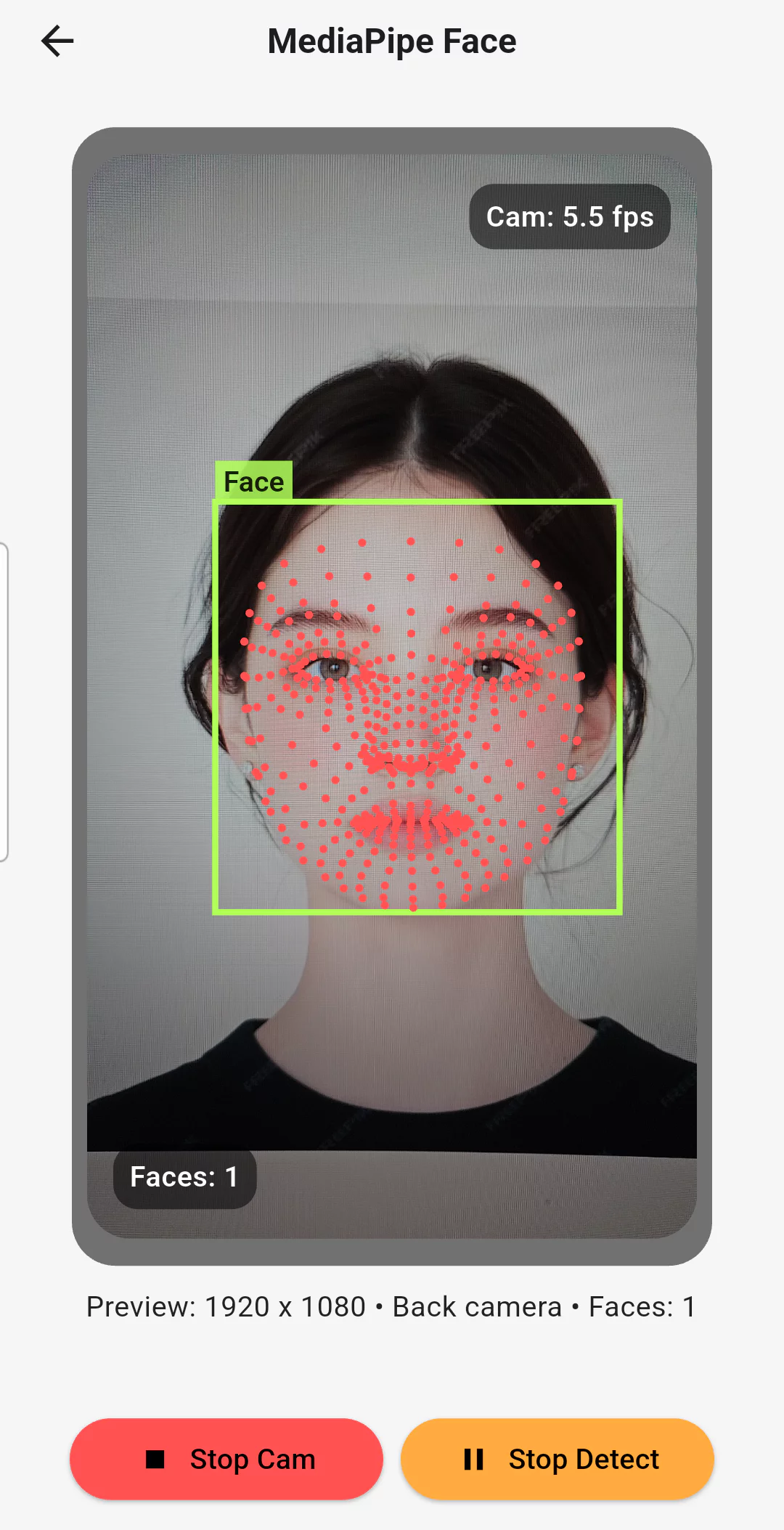 flutter_vision_ai_demos example
It’s built as an FFI plugin project — the core logic is implemented in C++ and called via Dart FFI.
The C++ logic works identically on both iOS and Android.
It uses Google MediaPipe’s face mesh model.
As of the publish date, it currently only provides face mesh functionality, not face detection.
(Updated 2026-04-27)
detection) short-range support added (full-range sparse/dense models planned)
mesh) 468-landmark model supported (iris model planned)
There are two ways to use it:
Detection / mesh provided by the package
External detection (google_mlkit_face_detection) + mesh provided by the package
Note: google_mlkit_face_detection supports both iOS and Android.
The first approach is recommended — it performs better.
All the examples start from a camera stream.
The flow is: CameraImage → face bounding box → face mesh.
TFLite (LiteRT)
Model
https://github.com/google-ai-edge/mediapipe/blob/master/docs/solutions/models.md
Uses the tflite model provided by the mediapipe repo.
Build TFLite C API
android build docs
ios build docs
LiteRT is the new name for TFLite.
To use TFLite in a C environment, you build a TFLite C API binary for each platform.
iOS and Android differ in their OS, runtime loader, CPU architecture (ABI), and even the default C/C++ standard library, so separate build artifacts are needed for each.
TFLite C API Headers & Bindings
The actual TFLite implementation lives inside the built binary and is loaded dynamically at runtime.
The function declarations and struct definitions needed to use the C API are provided through header files.
https://github.com/tensorflow/tensorflow/tree/master/tensorflow
The required headers are pulled from the TensorFlow repository.
Structure
create: initializes the TFLite runtime
process: preprocess → inference → postprocess
- The logic above is implemented in C++. The pre/post-processing steps handle image processing, tensor processing, state management, and so on.
ffigen.yamlgenerates the bindings (bindings.dart), and the C++ logic is called from Dart.- Users don’t call the core (C++) logic directly — they use the features through the exposed Dart API.
So the call flow looks like this:
Dart API → FFI bindings → C++ core → FFI bindings → Dart API
FFI bindings are the generated code that defines the interface allowing native C/C++ functions to be called from Dart.
Usage
(Updated 2026-04-27)
https://pub.dev/packages/mediapipe_face_mesh
Please refer to the latest release documentation.
(Questions about the project or issues are always welcome!)
Example
https://github.com/cornpip/mediapipe_face_mesh/tree/master/example
The example folder included in the package (mediapipe_face_mesh) repository.