June Dev Log - mediapipe_face_mesh, External Resource Lifecycle, Harness Engineering, Claude Design, Monthly AI Subscription Costs
mediapipe_face_mesh
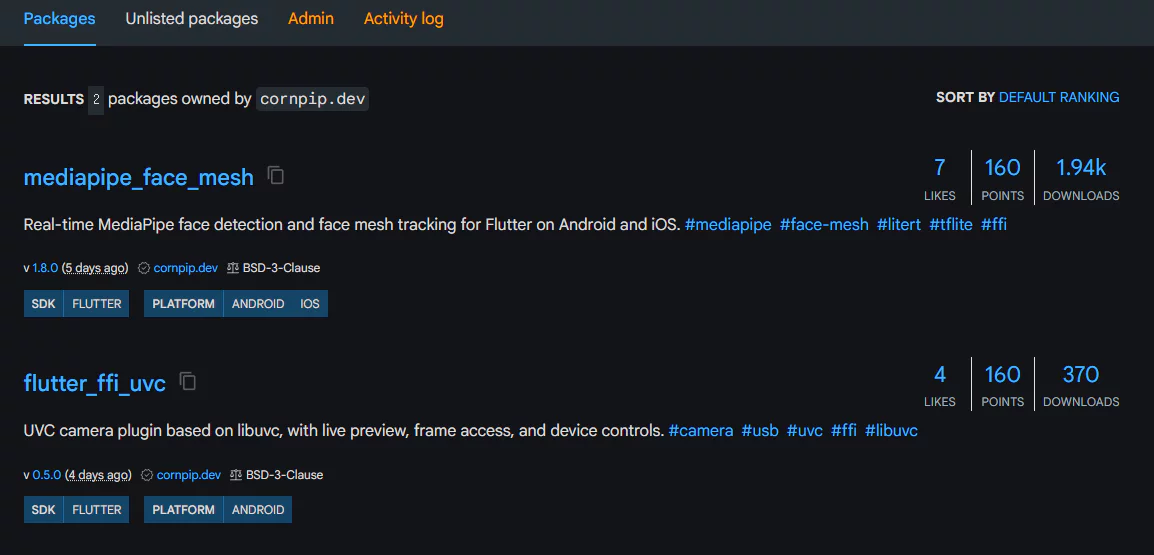
mediapipe_face_mesh’s monthly downloads have climbed to nearly 2K.
I’ve been shipping updates based on the roadmap - adding features, improving API usability, and tightening up stability -
and it’s genuinely rewarding to watch the version number and download count tick up together.
(If you’re into open source or building side projects, follow me on GitHub - I’ll follow back and check out what you’re building.)
External Resource Lifecycle Management
When working with external resources in Flutter - FFI, TFLite, WebSocket, and the like - it’s best to manage them separately from the Flutter widget lifecycle.
- Decouple the responsibility for creating, using, and releasing a resource from the widget lifecycle, and abstract it into its own class.
- Have that dedicated class hide the resource’s internal implementation and expose a consistent API, so there’s a single path for accessing the resource.
- Reuse the same resource instance and only replace it when necessary, using a cache structure to cut down on unnecessary creation/disposal.
- Manage the validity of async work with something like a generation token. When an operation completes, check the current state, and if a newer operation has already started or the resource has been disposed, discard the result instead of applying it.
The key is drawing a clear line around who owns resource management and where that responsibility ends.
That way, even when problems like state inconsistency, stale results, or memory leaks do show up, the root cause is easy to track down, and fixing it produces far fewer side effects.
Harness Engineering
I use the same harness across several Flutter projects that share similar context.
.agents
├── rules.md
├── docs/
│ ├── …
│ ├── layout.md
│ ├── database-migration.md
│ ├── environment.md
│ ├── localization.md
│ ├── routes.md
│ ├── text-style.md
│ └── …
└── skills/
├── …
├── adb-deeplink-ui-review/
│ ├── SKILL.md
│ └── scripts/
├── todo-task-runner/
│ ├── SKILL.md
│ └── scripts/
└── …
rules.md
There are trigger points that tell the agent when to read a doc or a skill.
NEVER run flutter or dart commands without first reading .agents/docs/environment.md.
Before changing routes or generated route files, read .agents/docs/routes.md.
Before capturing adb screenshots or reviewing UI via deep link, read .agents/skills/adb-deeplink-ui-review/SKILL.md.
~
And under an ## always apply section, I keep a handful of general guidelines.
- Start with the narrowest likely files; broaden only if the first pass doesn’t find what’s needed. \
- Keep command output small; prefer targeted patterns and paths over repository-wide searches.
~
The idea of role-based agents (Architect, Builder, Reviewer, etc.) didn’t seem like it would pay off much in my current dev environment,
so instead I built things around project knowledge, working rules, and Skills.
Whenever the agent fails to reference a document it needed during development, or doesn’t reproduce the pattern I intended,
I feed that case back in as feedback and refine the doc triggers and working rules accordingly.
Claude Design
Given a screenshot of the project’s UI/UX, it can propose improvement ideas that stay reasonably close to the current design.
Rather than asking about the whole screen at once, targeting a specific widget or region tends to produce a more concrete, polished draft.
I haven’t tried using a design system yet, but this person’s video makes the results look pretty good.
https://www.youtube.com/watch?v=gNgHnkJc29M
The current design concept for my project is based on neumorphism.
For the next iteration, I’m thinking about refining the existing neumorphism and mixing in some glassmorphism,
and it would probably be worth pulling in a related UI kit as a design system to work alongside it.
Monthly AI Subscription Costs
With the basic combo of Claude at $20 + Codex at $20,
if you keep an eye on usage status and alternate between them, you can spread out the 5-hour limit across both.
The weekly limit works out fine too, as long as you code on weekdays and rest on weekends.
For work with a clearly scoped feature, or for digging deep into a specific feature, I almost never feel short on tokens.
But for broadly designing a new feature from scratch, adding a large chunk of UI/UX, or working on something whose scope isn’t clearly defined, tokens get tight. Throw in planning and design work on top of that, and it gets even tighter.
In those cases, I just bump either Claude or Codex up one pricing tier.
Both services follow the same tiers: $20 → $100 → $200.