Android Network Binding: Switching Wi-Fi and Cellular
Connect vs Bind
Connect: Android can connect to Wi-Fi and cellular networks at the same time.
Bind: Among the networks that are connected (available), one can be bound to a process so that the process uses that specific network.
The network a process actually uses is the one it’s bound to. If nothing is bound, the Android system picks an appropriate network on its own.
Connect (requestNetwork)
1
2
3
4
5
6
7
8
9
10
11
12
13
14
15
16
17
18
19
20
21
22
23
24
25
26
27
28
29
30
31
32
        val specifier = WifiNetworkSpecifier.Builder()
            .setSsid(ssid)
            .setWpa2Passphrase(password)
            .build()

        val request = NetworkRequest.Builder()
            .addTransportType(NetworkCapabilities.TRANSPORT_WIFI)
            .setNetworkSpecifier(specifier)
            .build()

        val cm = getSystemService(Context.CONNECTIVITY_SERVICE) as ConnectivityManager
        val hasResponded = AtomicBoolean(false)

        deviceNetworkCb = object : ConnectivityManager.NetworkCallback() {
            override fun onAvailable(network: Network) {
                if (hasResponded.compareAndSet(false, true)) {
                    timeoutHandler.removeCallbacks(timeoutRunnable!!)
                    deviceNetwork = network
                    bindProcessToNetworkIfNeeded(network) { msg -> setMessage(msg) }
                    setMessage("✅ Connected successfully")
                }
            }

            override fun onUnavailable() {
                if (hasResponded.compareAndSet(false, true)) {
                    timeoutHandler.removeCallbacks(timeoutRunnable!!)
                    setMessage("❌ Connection failed")
                }
            }
        }

        cm.requestNetwork(request, deviceNetworkCb!!)
Both Connect and Bind can be carried out through a ConnectivityManager object.
requestNetwork() lets you specify the network you want to request along with a callback.
If the requested network isn’t available, the callback simply never fires.
You can connect to a specific Wi-Fi network by specifying its SSID and passphrase, and you can also set an option that only requests networks with internet access.
Bind
1
2
3
4
5
    private fun bindProcessToNetworkIfNeeded(bindNetwork: Network?, setMessage: (String) -> Unit) {
        ...
        val cm = getSystemService(Context.CONNECTIVITY_SERVICE) as ConnectivityManager
        val success = cm.bindProcessToNetwork(bindNetwork)
        ...
bindProcessToNetwork() is what actually performs the Bind operation.
If you only call requestNetwork() without binding, the Android system automatically picks whichever network it considers most appropriate.
For example, even if you request a connection to Wi-Fi via requestNetwork(), if that Wi-Fi network has no internet access, the system will fall back to using the cellular network by default.
Example
https://github.com/cornpip/android_network_bind_example
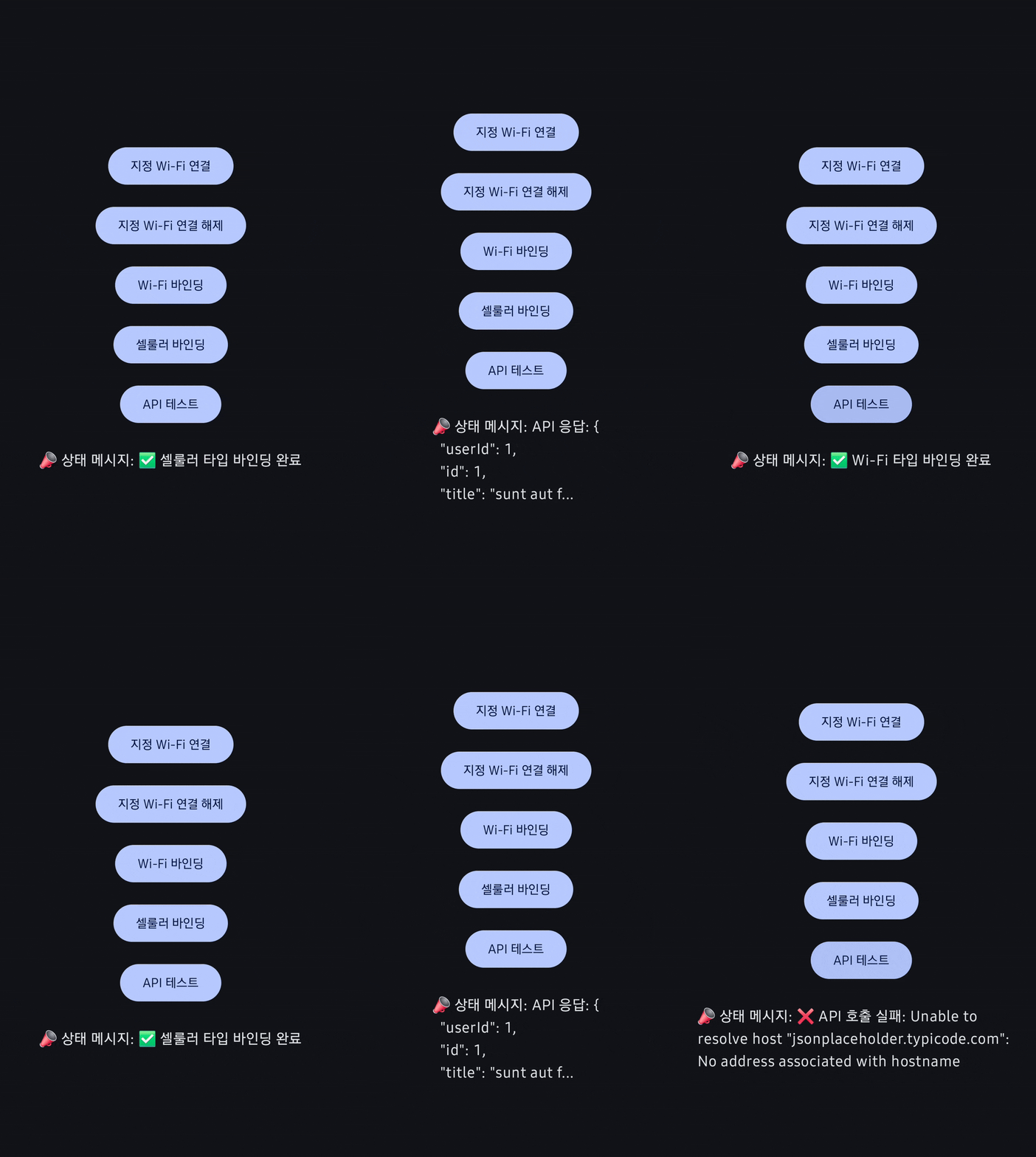
Let’s test API requests while switching the binding between Wi-Fi and cellular networks.
In the test environment, the Wi-Fi is an AP with no internet connection, while the cellular network does have internet access.
Test flow
- Connect to the internet-less Wi-Fi using
requestNetwork(). - Switch the binding back and forth between cellular and Wi-Fi.
- Make an API request.
Results
- While bound to Wi-Fi, the API request fails.
- While bound to cellular, the API request succeeds.