[TokenMeter] Building My Own Personal (Local) ChatGPT
TokenMeter
In my previous post I planned this project under the name SaveChat, but I’ve since renamed it to TokenMeter.
https://github.com/cornpip/TokenMeter
Right now, if you have Node.js and npm installed, you can just clone the source and run npm run start to use it.
As a next feature, I’m planning a Docker deployment so TokenMeter can be run like Jupyter Lab (Docker).
+ docker)
2025.04.10 - [Side Project/TokenMeter] - My Own ChatGPT - TokenMeter
How to use (as of Feb 2025)
Clone the source from GitHub and run npm run start. The web service comes up at http://localhost:5173/main,
and chat history is stored in server/database.db.
1. Click the gear icon in the top-right corner of the start screen.
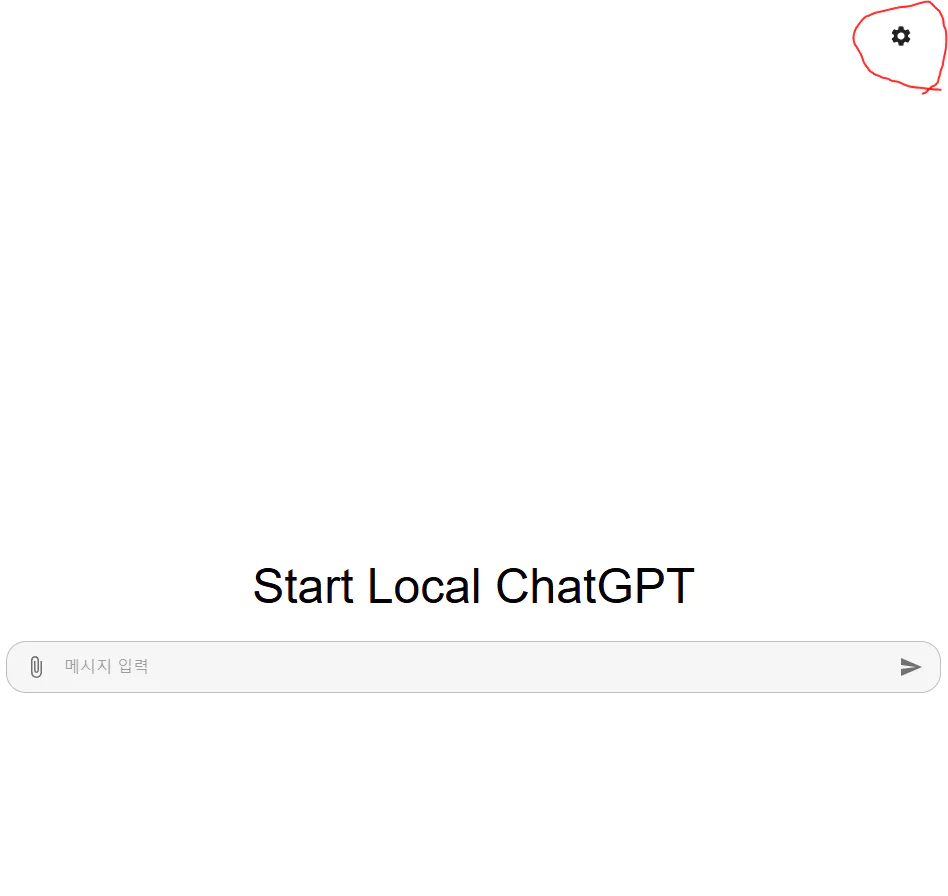 Start screen
2. Enter the API key issued by OpenAI and select a model.
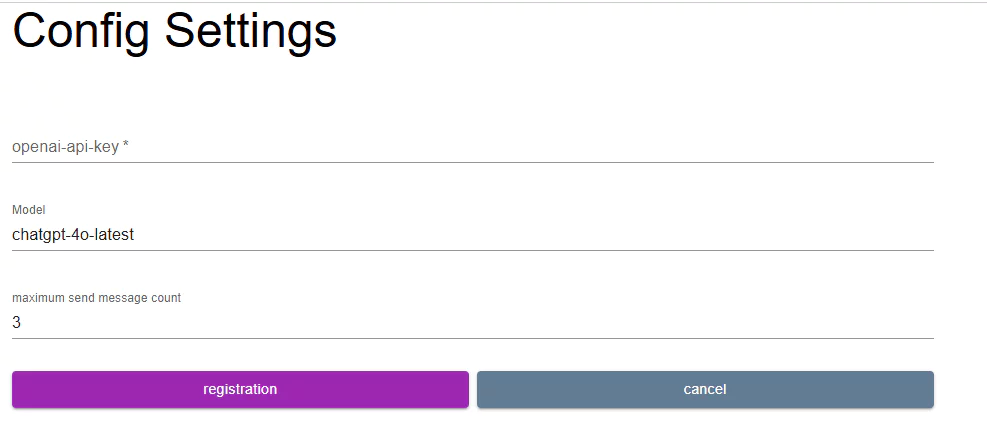 Config setting
Note that you need to have billing set up. For example, if you load $10, it gets deducted proportionally to token usage every time you call the API.
(An extra $5 is charged when you register your card for the first time, but it’s refunded later.)
The “maximum send message count” field sets the number of messages included in the history.
For example, if it’s set to 3, the API request will include the most recent 3 messages as history.
You can check a detailed example in section 3. (Currently, I’d recommend using something around 3-4.)
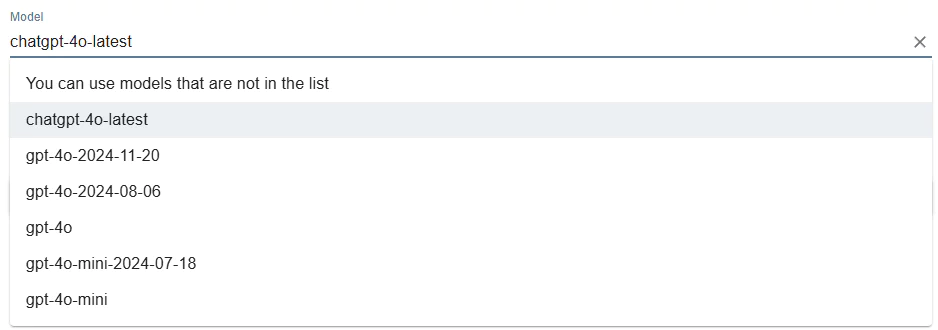 Model selection
gpt-4o-2024-11-20 is the cheaper model.
chatgpt-4o-latest is more expensive than the dated model. (It’s cheaper via the batch API — a feature worth adding later.)
See the official page for detailed pricing: https://platform.openai.com/docs/pricing
 Typing directly into the input box
If a new model version isn’t in the select box yet, you can type it directly into the input.
(Note: entering it incorrectly will cause an error on the API request.)
Once you’ve entered the API key and selected a model, click “registration” and go back to the main screen.
3. Start a conversation, then press Enter or click the send icon.
 Chat input
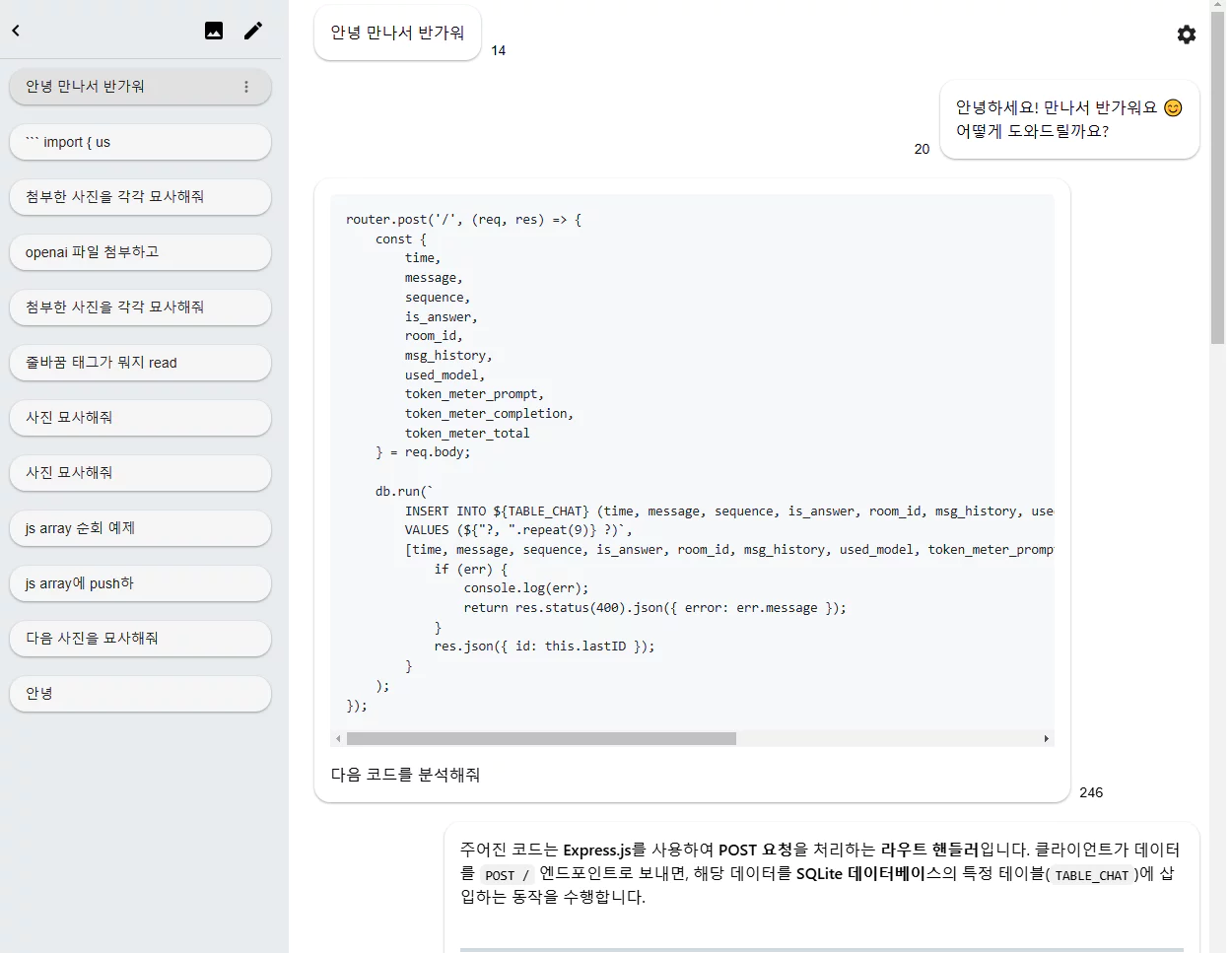 Chat screen
On the left, you can select or delete chat rooms.
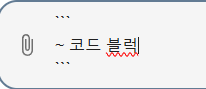 Chatting with a code block
The text editor supports Markdown syntax. Use Shift + Enter for a line break.
 Attaching a photo
You can attach files via the clip icon or by drag-and-drop. (As of Feb 2025, only images are supported.)
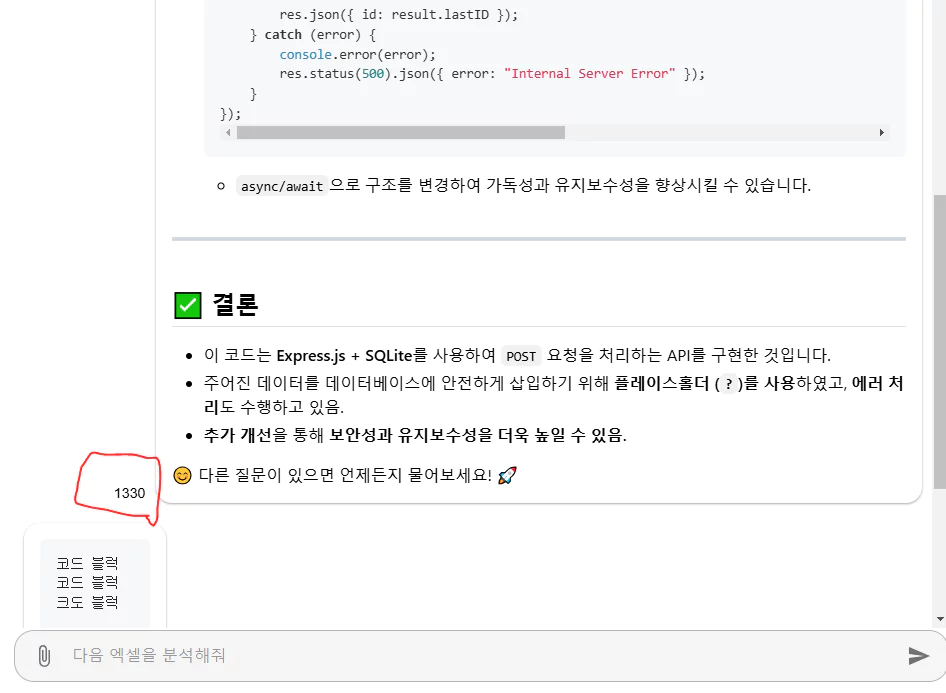 Checking token usage
Message history used for token counting
Token usage is shown next to the conversation, and clicking the number shows the message history that was counted toward the token calculation.
In this case, since the config’s message count was set to 3, the previous 3 messages were included when sending.
The 3 messages used 246 tokens, and the 1 response used 1330 tokens.
In other words, a single question/answer round used 3 messages of history and consumed 1576 tokens total.
4. Image generation
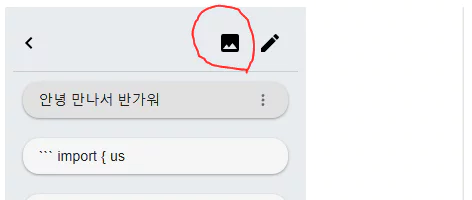 Navigating to the image generation page
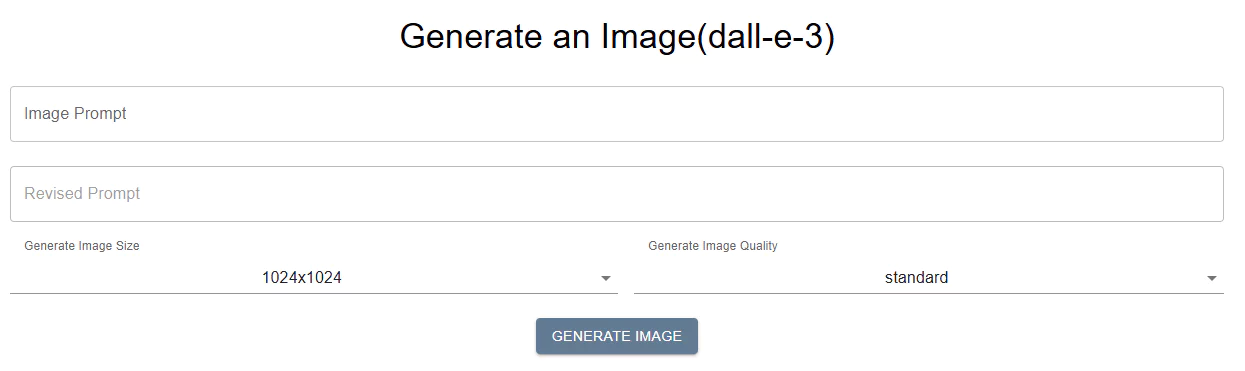 dall-e-3
dall-e-3
The “revised prompt” is the final prompt actually used to generate the image.
Testing & analysis
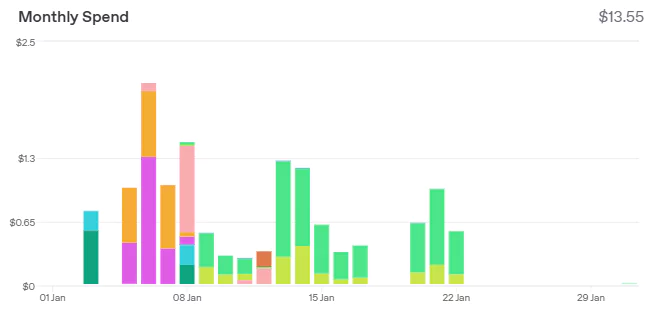 January usage
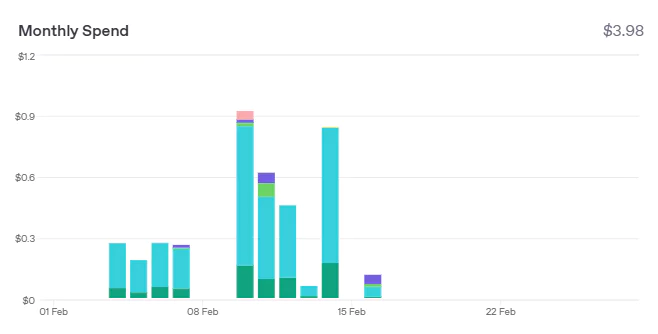 February usage
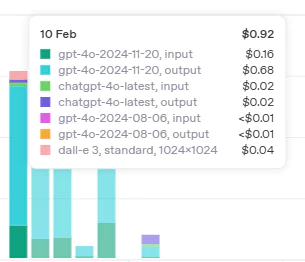 February usage
After using TokenMeter instead of ChatGPT for everyday development work, here’s what I found from testing.
Even excluding DALL-E usage, there are days where cost goes over $1.
If you’re using it heavily enough that you go over $1 a day, you might as well just pay $22 for ChatGPT Plus —
and since one of TokenMeter’s main points is being more cost-effective than that $22 plan, this is an issue that affects whether the project is even worth continuing.
Token usage is especially high when exchanging code.
Sending long code usually results in a long code snippet in response, and when these messages pile up as-is in the history, token usage balloons quickly.
TokenMeter currently lets you control how many messages get sent by setting the history count, but there’s no feature to optimize token usage within the text itself.
For the cost-effectiveness that the project’s survival depends on to hold up, the token usage of text (especially code text) needs to be optimized.
Future plans
I’m planning to spin up a few small language-related models that can run locally.
For example:
- a model that summarizes implementation code into pseudocode,
- a model that translates Korean into English optimized for OpenAI prompts, etc.
So, building on the current setup —
Current: DB server (Node.js), client (React, Nginx)
To add: model serving server (FastAPI)
I plan to build out this serving server and add models one by one to provide token-optimization features.
Afterthoughts
Side projects really do take a long time.
After work, eating, resting, and tidying up a bit — the time’s already gone…
When I can actually focus on the project after work, it seems like I can manage to commit about one feature.
Right now TokenMeter’s advantages still feel lacking. If I:
- Nail down the token cost-efficiency,
- add basic custom prompt features, and
- pick one in-demand task as a goal and add detailed features around it,
it seems like it could become a much more usable project.
Also, I like that TokenMeter is a project I can keep using myself.
I’m a genuine end user of it, which gives the project staying power.
I think I’ll just keep gradually turning it into a better personal assistant.