PhotoPrism - A Personal Photo Cloud and Photo Management Platform
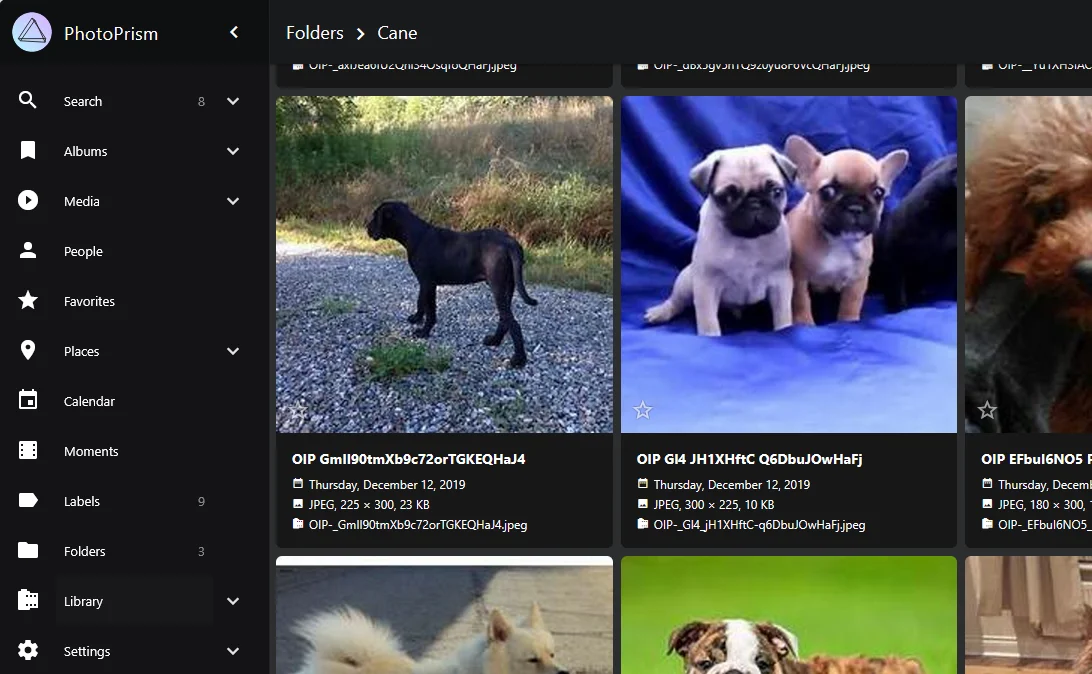
I recently picked up photography as a hobby and started taking photos regularly.
Since I didn’t want to share only a handful of the photos I took, I went looking for an open-source solution I could use to share them.
PhotoPrism
PhotoPrism is an open-source photo management application. You host your photos and videos on your own server, and it helps you organize and browse your photo library through features like automatic tagging, face recognition, and filtered search.
https://github.com/photoprism/photoprism
Key Features
1. Automatic organization and indexing
- When you import photos, they’re automatically organized based on date, location (GPS metadata), camera info, and so on.
- Face recognition and object detection can also classify people and objects.
- Labels are automatically attached during the process. e.g. bottle, people, portrait, moment …
2. Search
- Fast search based on metadata, file name, tags, location, and more.
3. Accessibility
- A web UI lets you access it from a PC, smartphone, or tablet.
4. Sharing
- You can create a share link for an album to show it to other people.
- It also integrates with external file explorers via WebDAV.
5. Storage flexibility
- Photos can be stored on a local disk, an external HDD, a NAS, and so on, and index data and thumbnails are managed separately from the original files.
Running PhotoPrism with Docker
You can run it easily with Docker.
On Windows, as long as you can run Docker Desktop, you’re all set.
1
2
3
4
5
6
7
8
9
10
11
12
13
14
15
16
17
18
19
20
21
22
23
24
25
26
# docker-compoes.yml
services:
  photoprism:
    image: photoprism/photoprism:latest
    depends_on:
      - mariadb
    environment:
      PHOTOPRISM_ADMIN_USER: "admin"
      PHOTOPRISM_ADMIN_PASSWORD: "admin1234"
      PHOTOPRISM_ORIGINALS_LIMIT: 10240
      # other environment variable settings
    ports:
      - "2342:2342"  # web UI port
    volumes:
      - ./storage:/photoprism/storage
      - ./originals:/photoprism/originals

  mariadb:
    image: mariadb:10.11
    environment:
      MYSQL_ROOT_PASSWORD: "0000"
      MYSQL_DATABASE: photoprism
      MYSQL_USER: user
      MYSQL_PASSWORD: "1111"
    volumes:
      - ./db:/var/lib/mysql
1. Create a folder and write docker-compose.yml
ADMIN_USER/PASSWORD
The admin account you’ll use to log in.
ORIGINALS_LIMIT
The maximum file size in MB. default = 1000
+) Ports
From the Docker container’s perspective, it’s {host}:{container}.
Host = the port you’ll connect to
Container = the port the service runs on inside the container
Example)
If you want to connect via http://localhost:2777
2777:2342
If you want to connect via http://localhost:2888
2888:2342
See the docs for detailed options.
https://docs.photoprism.app/getting-started/config-options/
VOLUMES
storage = cache storage
originals = original file storage
Roughly, 4GB of originals produced about 700MB of storage. I’m not sure if it stays proportional, but about 17% was cached in size.
(I put the cache on an SSD and the originals on an HDD.)
2. docker compose up -d
Run docker compose up -d from the root of the folder you created.
Usage
Login
 Login
Login
Indexing
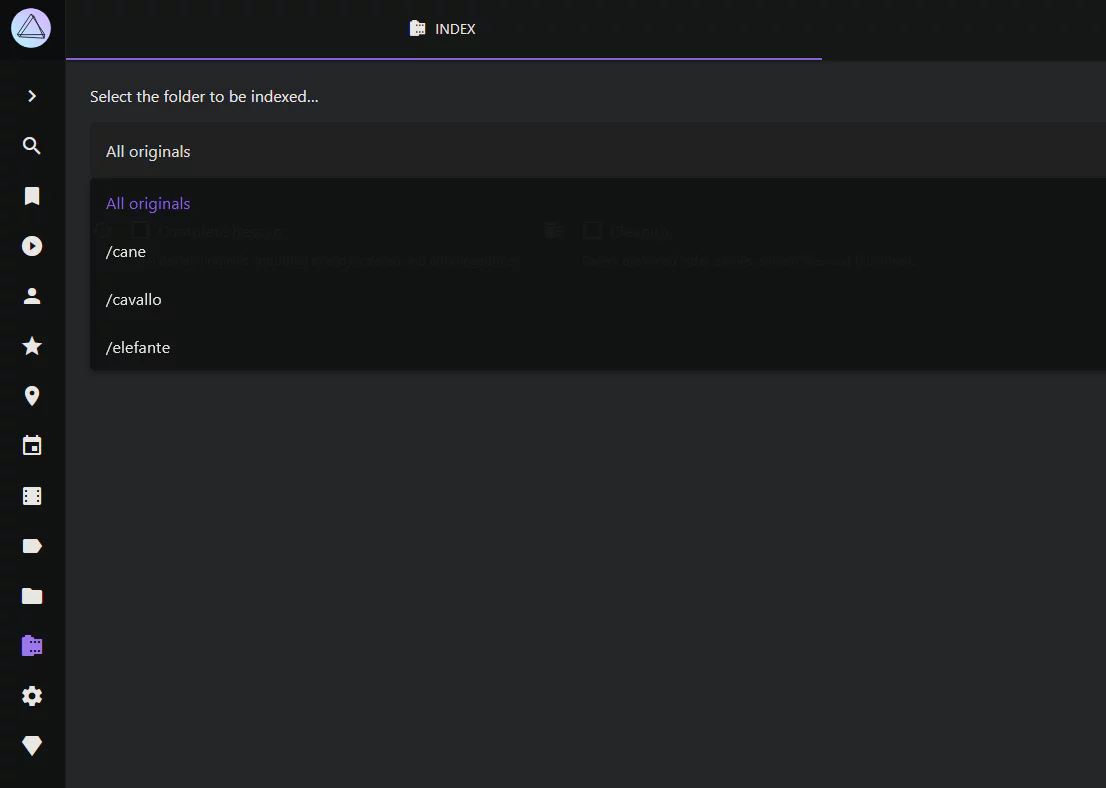 Library & indexing
Just place your photo/video files under the originals folder.
As an example, I put photos in three folders (/cane, /cavallo, /elefante).
Pick the folder to index and press start to begin indexing.
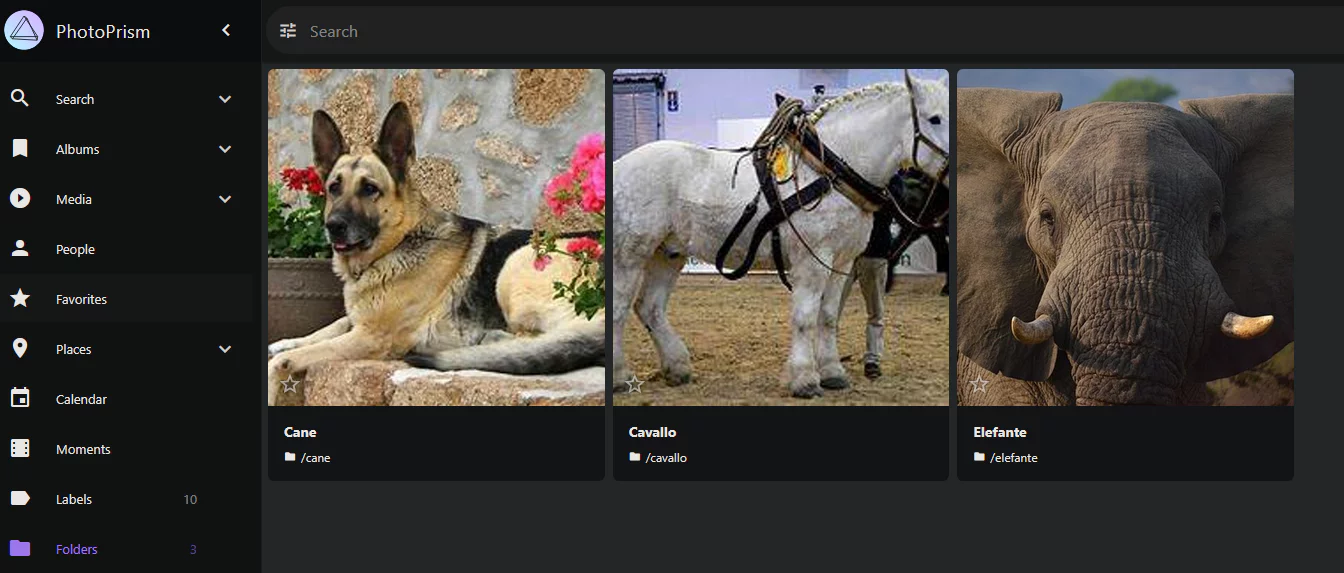 Folders
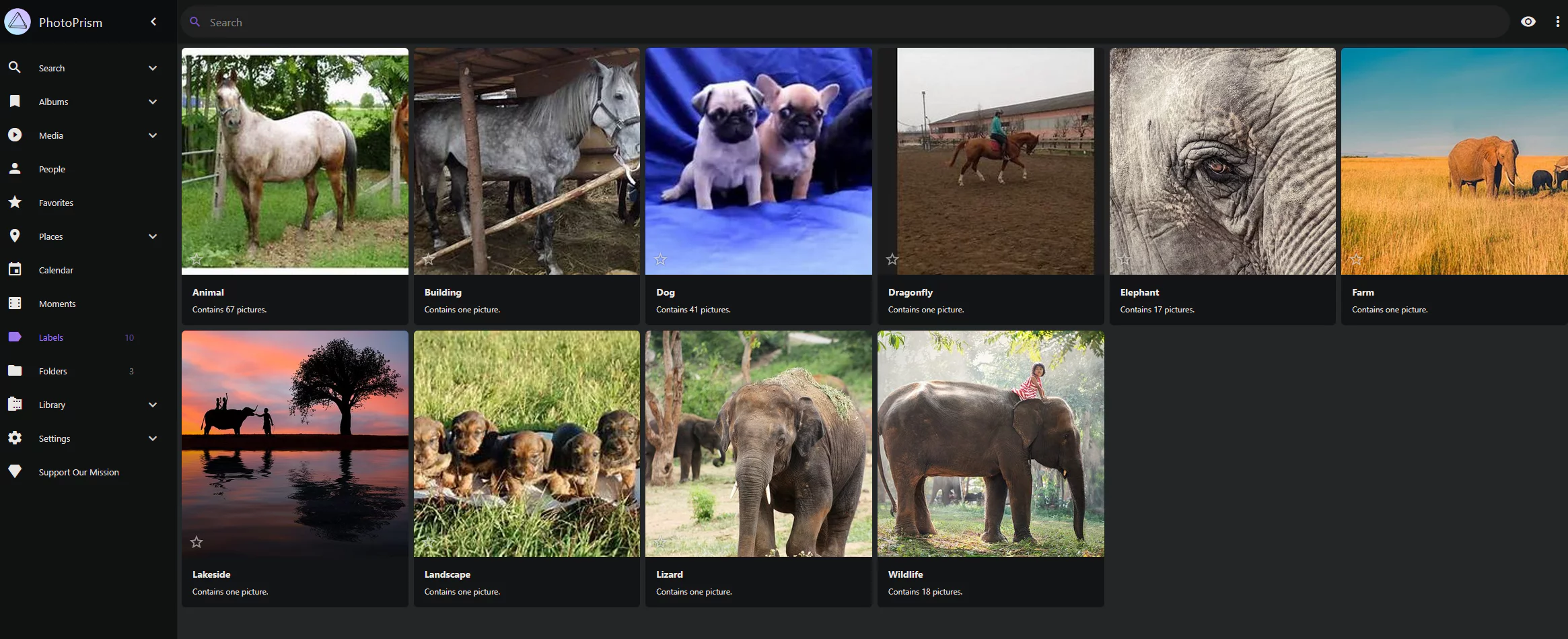 Labels
Once indexing (≈ file registration) finishes, the images show up.
During indexing, tags are automatically generated and faces may be recognized and classified.
Deleting
 archive
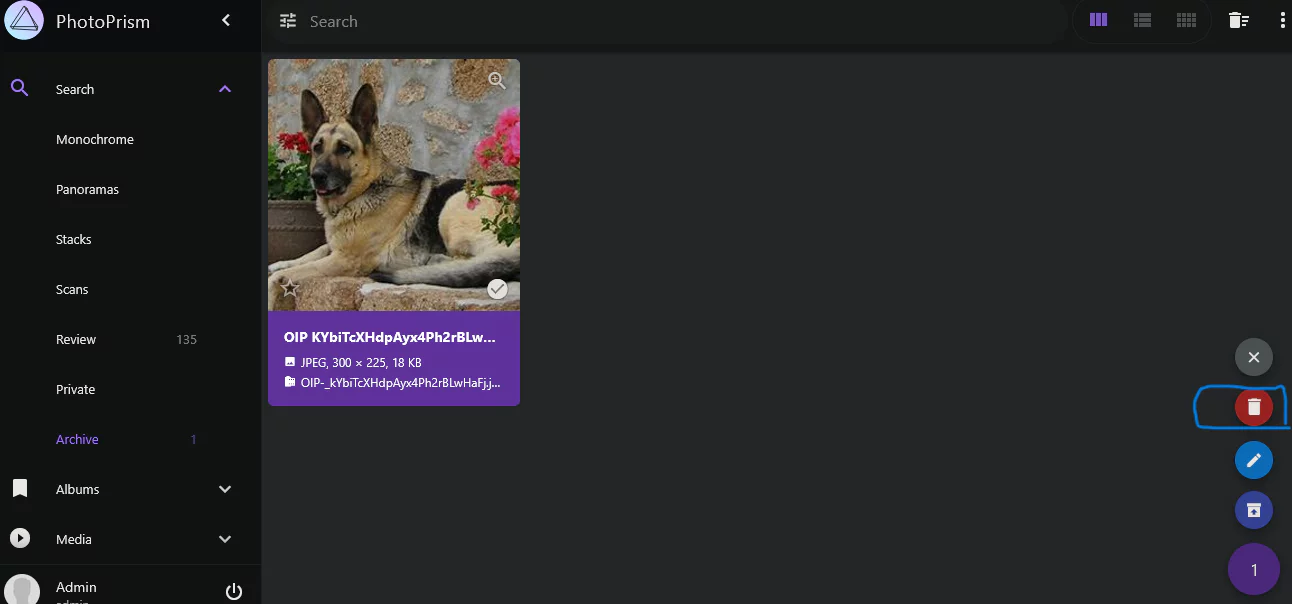
The deletion flow is archive -> delete.
Select the photo and move it to the archive.
 delete
In the archive, a delete icon appears.
Deleting also removes the original file from originals.
Sharing
 share
share
 share
share
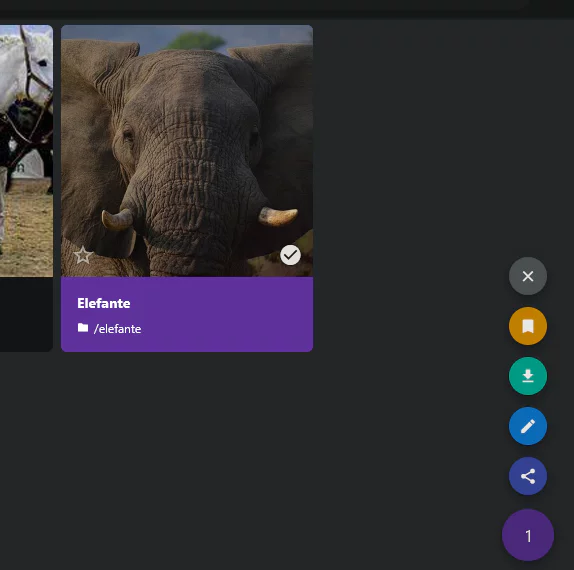
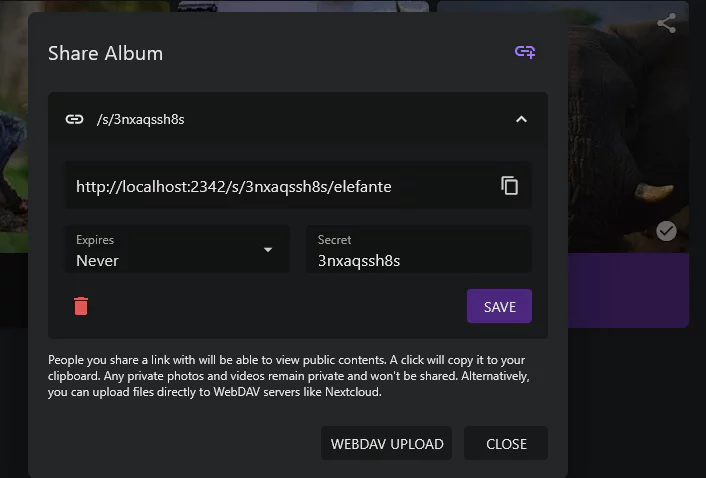
You can share a folder or album with anyone who has the link.
You can set an expiration date, and you can remove the link by clicking the trash can icon.
I connected locally so the address came out like this, but you’d swap in your external IP or domain to match your hosting environment.
e.g. 41.167.11.21:2342/s/\ e.g. mymymy.com:2342/s/
Files marked private in a shared album won’t be visible.
Account Roles
There’s also access control based on account roles.
https://docs.photoprism.app/user-guide/users/roles/
User and Viewer roles are only available to membership users.
1
docker compose exec photoprism photoprism users add --name "guest2" --email "guest@example.com" --password "guest123" --role guest
I tested it by adding a Guest account, and it doesn’t seem any different from just accessing a share link.
For sharing photos, a share link is enough — no need for account management.
Wrapping up
For personal use, this seems more than sufficient for managing and sharing photos.
I plan to keep using it until something starts to feel inconvenient.